Showing posts with label Video. Show all posts

Wednesday, July 05, 2006

Video for iPod Made Easy

Ever since the video playing capability is added to the iPod, the truly convenient and easily accessible method for converting one's existing video files into iPod is simply, well, missing.

Then comes iTunes 6.0.5, in which Apple is finally compelled to make the long overdue feature standard and one-click away for the rest of us. Hooray!

At last, we can bypass Quicktime Pro which asks for a fee, or some obsured geeky (but powerful) open-source tools which can only be found by combing through google search results mediculously.

How does it work?

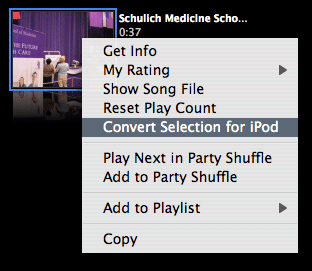
It is suprising easy. Take any video files you have added to your iTunes library and ctrl-click or right-click on it, there you will find the option "Convert Selection for iPod". Nifty huh?

If you haven't got your copy of iTunes updated, go get it now from Apple's iTunes page.

File format hazzle

What if you have video files in formats not supported by iTunes? Sorry, but you have no luck with this new feature. In this case, you probably want to try out the amazing ffmpegX.


Yet another Mac tip is on the Web!

Saturday, February 18, 2006

Converting Video Files for iPod

Got the latest iPod? What about the video contents?

The problem most iPod G5 owners face is not about where to find videos, but rather how to make their existing collection of videos play on the iPod. In this article we will talk about converting video files of almost any sort into files that play on the iPod G5.

Apple's Quicktime Pro is just one of the many tools available for converting video files into iPod-friendly formats. However, when talking about versatility, there is probably none that deals with so many different formats, including Real (.rm / .rmvb), as does ffmpegX. Plus, you can try it for free!

Where to get ffmpegX

You can download a copy of ffmpegX at http://homepage.mac.com/major4/download.html

Using ffmpegX to prepare iPod-friendly video

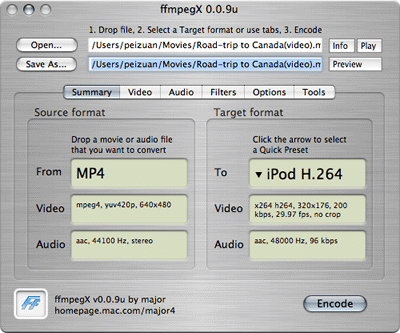
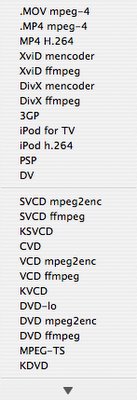
By its sheer power, ffmpegX simply overkills in serving our purpose. However, it does provide preconfigured settings for making iPod-friendly video so you don't have to worry about file format, bit rate, pixel count and all that jazz -- which means ffmpegX has got the most painstaking part of converting video formats covered!

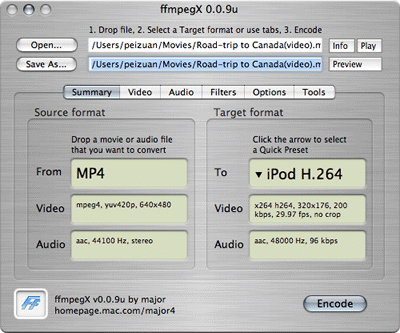
Talking about ease of use, you practically need not know any better than how to drag-n-drop using a mouse to get job done. That alone makes ffmpegX a must-have. I don't mean to steal the thunder from ffmpegX's comprehensive "how-to's" on its own website, so I suggest you read the instructions there to find out how to operate the program.

Screenshot of ffmpegX.
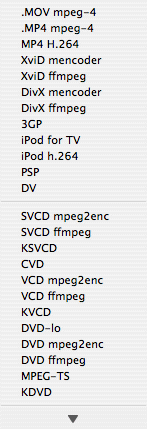
The preconfigured output formats in ffmpegX.
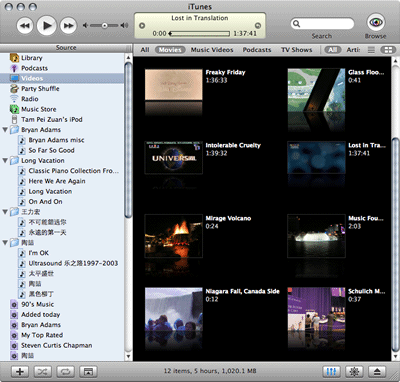
Screenshots of a iPod-friendly video. Image and sound is perfectly in sync, no problem!


Importing videos into iTunes

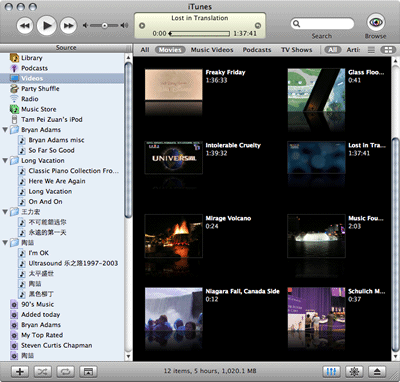
After you've got the new file produced by ffmpegX, drag-n-drop it into iTunes, so that it can be transferred to your iPod. If your iTunes is set to copy all imported files into iTunes's folder, you can remove the original one after iTunes has finished importing.
(See also: "Watch Podcast?")

Yet another Mac tip is on the web!

Friday, October 21, 2005

Watch Podcasts?

Sure!

Podcast isn't just about web radio anymore. Technically speaking, the tricks that make audio podcasts tick apply to video contents too!

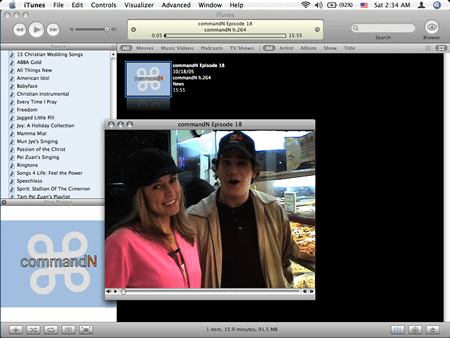
The video podcast that I watch is commandn, a weekly soft tech program hosted by Amber MacArthur and Mike Lazazzera. It is available on many podcast services. The best places to get it would be the podcast section on iTunes music store, Yahoo Podcasts, and of course the hosts' personal websites.

A ticket to Geek's Club...ok, maybe not

Sometimes tech news is useful even if you are not a geek and don't wish to be one. The knowledge may enable you to decide better when to buy your next tech toy, or whether to buy it at all! You don't have to go for tech enthusiast's type of thing, like TWIT aka This Week In Tech (one of my favorite podcasts too). On the other hand, soft tech news is fun, especially when it comes in video! That's where commandn fits in.

Watching commandn directly on iTunes.

Yet another Mac tip is on the web!